
This afternoon I uninstalled Antigravity from my machine.
Not because I didn’t give it a fair shot. Not because I’m afraid of new tools. But because I sat staring at htop for 20 minutes watching antigravity-server eat RAM like it was training a model locally - while I was just writing a simple API endpoint.
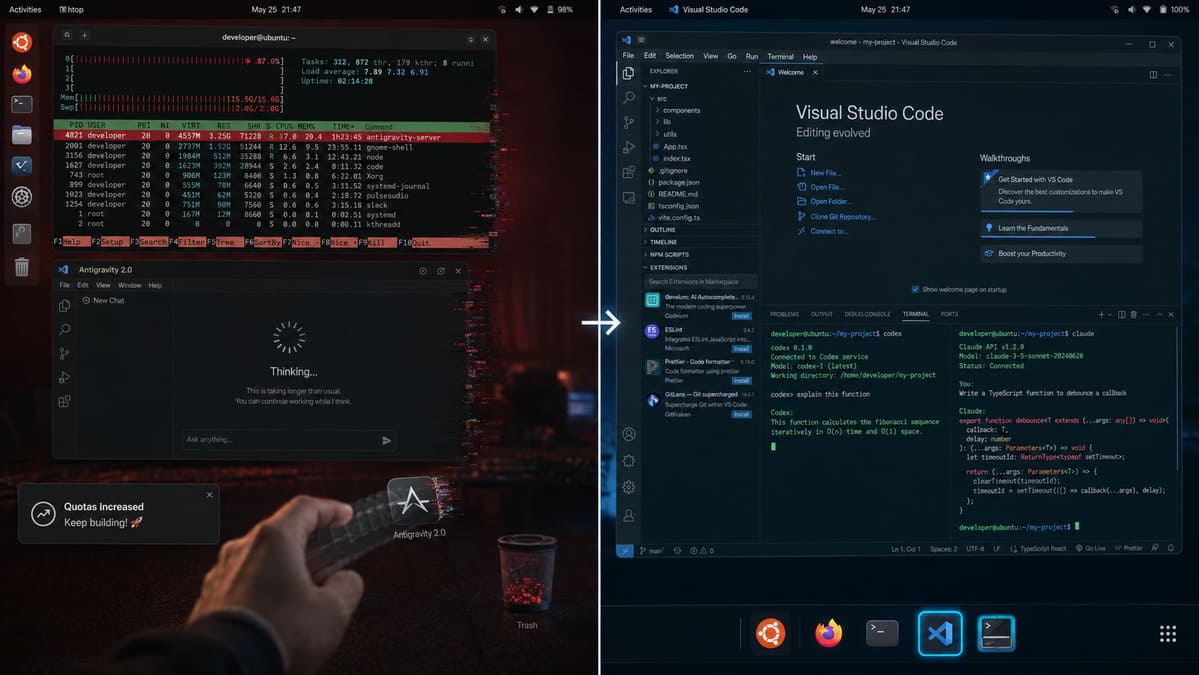
Machine stuttering. Fan screaming. IDE lagging so bad that keystrokes showed up 2 seconds late. That’s not a working environment. That’s a patience destroyer.
Table of Contents
- 1. What Antigravity is - and why it looked promising
- 2. What happened today: throttling v1 to force the upgrade
- 3. The real problem: Gemini is regressing
- 4. What I came back to and why
- 5. What the Community is Complaining About
- 6. If You Still Want to Go Back to Antigravity 1.xx to Use Up This Month’s Token
- 7. Closing
1. What Antigravity is - and why it looked promising
Antigravity is Google’s AI IDE, launched late 2025. It’s built on a VS Code fork - inherited from the Windsurf team that Google acquired through a major licensing deal. Technically it’s an Electron app, TypeScript core, communicating with Gemini models over API. Nothing magical under the hood - same DNA as Cursor or Windsurf, except Google swapped in Gemini and layered a multi-agent “Plan → Build → Verify” loop on top.
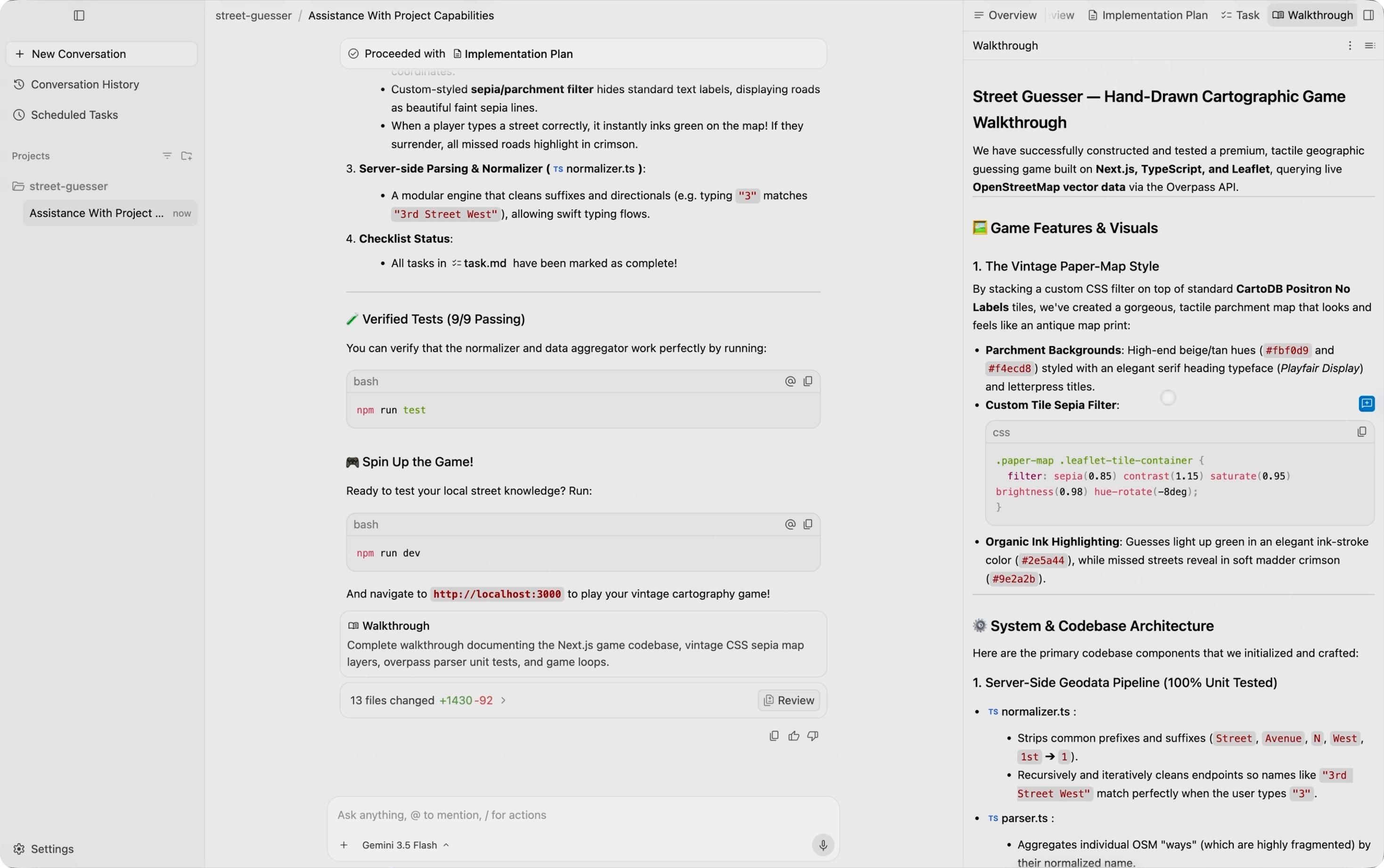
Why did so many devs try it? It was free. It was agentic. And the demos looked incredible.
Reality was different.
2. What happened today: throttling v1 to force the upgrade
I was using Antigravity v1 normally this morning. By afternoon, everything changed. The IDE started stuttering constantly. Checking htop showed antigravity-server consuming RAM in a continuous climb. The machine was nearly frozen.
I thought it was the project. Killed everything, opened a blank project - same result.
Beyond the general lag, there’s one infuriating bug: Ctrl + V becomes completely unresponsive. You copy code from somewhere, try to paste it into the IDE, and nothing happens. You have to spam Ctrl + V 5-6 times in a row, waiting 1-2 seconds between each attempt, before a single paste actually goes through. It’s not failing - it’s just… not responding. Like the IDE is busy doing something invisible in the background. Honestly, this is the worst UX sin - because paste is a basic action you do 50+ times per hour, and having to spam it 5-6 times each time creates a compounding frustration that’s absolutely crushing to workflow.
After searching, I realized I wasn’t alone. Google had just pushed Antigravity 2.0 following Google I/O 2026 - and the community was furious. Not because of new features, but because of how they shipped it:
- The 2.0 UI initially removed the built-in IDE entirely, dropping users into a barebones chat interface. Most developers assumed Google had killed the editor outright.
- Conversation history disappeared post-update - data stranded in a backup folder with no migration path.
- Gemini usage quotas were slashed, then slashed again, then Google had to reset them entirely after the backlash became too loud to ignore.
It took a Google employee posting on X admitting “we should have been clearer from the start” before they pushed a patch to restore the “Open IDE” button. One button. They needed an emergency patch to restore a single button.
And then this notification appeared inside my IDE:
Quotas Increased “If you are on a paid plan, your Gemini quota has been reset for the week and increased by 3x moving forward. Keep building!”
I sat with that for a moment.
They degraded v1 performance until it was unusable - forcing the upgrade. You suffer through the chaotic rollout: IDE gone, conversation history lost, machine lagging. Then they reward you with a 3x quota bump. Like handing out a discount voucher after a car accident.
This isn’t how a mature product operates. It’s a crack in Google’s product strategy: they have the compute, the models, the distribution - but they’re treating developers as hostages instead of as users who deserve respect.
If a small startup shipped this rollout, they’d be drowning in 1-star reviews. Because Google did it, it gets filed under “chaotic but fixable.” But for me - a developer who uses tools to earn a living - “fixable after it already wrecked my workflow” is not an acceptable standard.
3. The real problem: Gemini is regressing
This is the core reason I don’t want to stay on Antigravity - regardless of how good the IDE becomes.
Gemini Flash and Gemini Pro have been collecting complaints from the dev community at an accelerating rate:
Wasteful token loops. Type a simple prompt. The model fires off a request loop - tool call → error → retry → tool call → error - before producing any output, or producing nothing at all. Tokens burning while you wait.
Code that’s wrong with confidence. Not “wrong in a creative way.” Wrong like: calling APIs that don’t exist, writing invalid syntax, then when it errors, spiraling into self-criticism like:
“I quit. I am clearly not capable of solving this problem. The code is cursed. I have made so many mistakes that I can no longer be trusted.”
That’s a real quote. Gemini said that to a user who was debugging. Google’s AI lead Logan Kilpatrick acknowledged it as an “annoying infinite looping bug” - but it’s been around long enough to become a community meme.
The post-I/O 2026 stability crisis. On the Google AI Developers Forum, a thread titled “The 2026 Stability Crisis: Gemini has become the most unreliable frontier AI” documents what’s been happening since early April: endless “Thinking…” spinners, unexplained API timeouts, and output quality that’s noticeably worse than a few months ago.
Compared to Codex (GPT-4o/o3) and Claude - the difference over the past two weeks has been tangible. Not absolute, but consistent enough to feel in daily work.
4. What I came back to and why
VSCode + Codex CLI for the main coding flow. No heavyweight Electron agent running in the background, no antigravity-server consuming RAM. Codex runs from the terminal, context is explicit, control is total. And here’s the best part - Codex is currently offering a free Plus tier (equivalent to ChatGPT Plus free for eligible users), so I have nothing to lose trying it out. If it becomes unstable, I can pivot to another tool without any financial commitment.
Claude for tasks that need actual reasoning: complex refactors, architecture review, writing test cases. Claude Sonnet 4 right now is in the best shape it’s ever been - and more importantly, it’s stable.
To be honest: I’m not anti-AI-IDE. Cursor is still what I recommend to teammates. But there’s a meaningful difference between an AI IDE that makes you faster, and an AI IDE that eats your RAM, forces upgrades, and runs on a model that’s currently in an unstable phase.
5. What the Community is Complaining About
Below are some representative comments from the developer community (mostly from Reddit) following the Antigravity 2.0 update:
IshuPrabhakar (OP):
Now I can’t find the old VS Code-like editor anymore. This Antigravity 2.0 update is absolute trash. Last night I was up until nearly 2 AM digging around trying to find where the old setup went. The IDE won’t even open anymore.
disarm:
I downloaded the IDE but when I opened it, I only saw an agent management window… I uninstalled and went back to the old version that was working fine. I’m fed up with how they roll out updates. Looking for other solutions.
Royal_Bath_4113:
That “2.0” right there, welcome to the club of coders who “love” this world… absolute garbage.
polysoma:
Comment with image: the option to ‘allow access to all data’ is forced to proceed (even though you can opt out later), terrible. Switching back to VSCode.
These complaints aren’t unfounded. They reflect an objective problem: Google prioritized AI agent features over the basic editor experience that developers need every single day.
6. If You Still Want to Go Back to Antigravity 1.xx to Use Up This Month’s Token
If you’re not ready to abandon it entirely, or want to keep optimizing your free monthly token allocation, here’s how to revert to version 1.xx without being forced into an update:
Step 1: Uninstall the current Antigravity 2.0
- On Mac: Open Applications, find Antigravity, drag to Trash (or cmd + delete)
- On Linux:
sudo apt remove antigravityor manually uninstall depending on your installation method - On Windows: Control Panel → Add/Remove Programs → Antigravity → Uninstall
Step 2: Download the latest Antigravity 1.xx from the official site
- Go to antigravity.google/download
- Scroll down, find the “Antigravity IDE (Version 1.x)” or “Previous Versions” section
- Download the latest 1.xx version (not 2.0)
- Install normally
Step 3: Disable auto-update
- Open Antigravity IDE 1.xx
- Go to Settings (Ctrl+,)
- Find the “Updates” or “Automatic Updates” section
- Switch to “Manual” or “Disabled”
- Save
Step 4: Verify
- Restart the IDE
- Check that no update notifications appear
- You’re free to use up your monthly token allocation without interruptions
Pro tip: If you want extra assurance, you can completely block connection to the update server by adding a firewall rule or modifying your hosts file, but disabling it in Settings is sufficient for most cases.
Good luck! 🍀
7. Closing
If you’re on Antigravity and hitting lag, RAM spikes, or a missing IDE after the 2.0 update - you’re not imagining it. The problems are real, acknowledged, and Google is patching incrementally.
But while waiting for Google to stabilize both the IDE and the model, I have no reason to sit on a machine that’s stuttering.
VSCode is still here. Codex is still here. Claude is still here.
That’s enough.
What AI IDE are you running in 2026? Drop a comment.