
Want to try the gothic sketch prompt right now? Copy it below, paste it into your AI tool of choice, and you’re done. Check the sample results first so you know exactly what you’re about to create - then follow the step-by-step guide.
Table of contents
- Sample results
- Prompt - copy now
- Step-by-step guide by platform
- Tips to preserve your face
- Other aesthetic variants
- How the prompt works - for those who want to go deeper
- FAQ
- Conclusion
Sample results
Here’s what this prompt actually produces - hand-drawn sketchbook style, aged paper, ink bleeds, handwritten annotations surrounding the character:
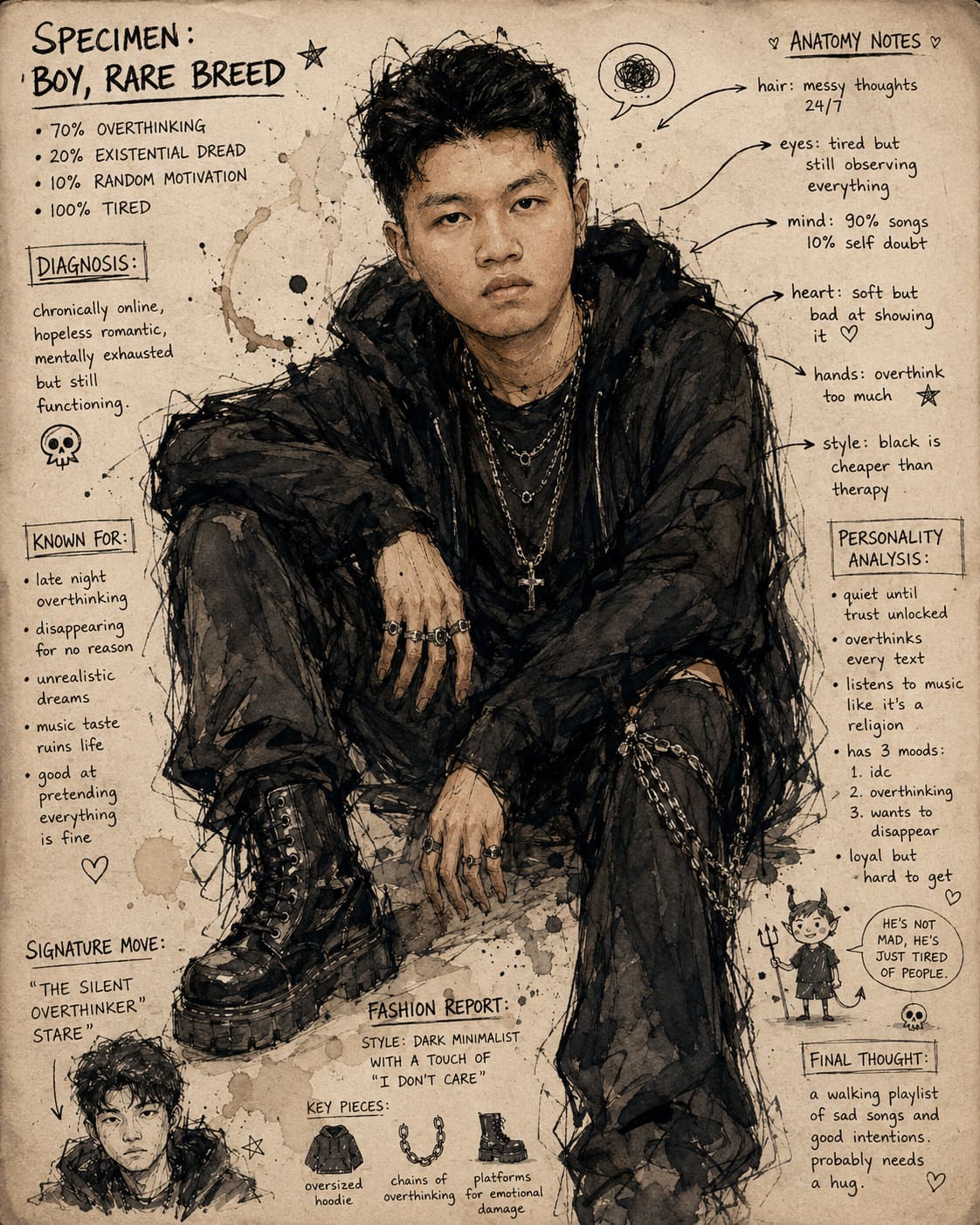
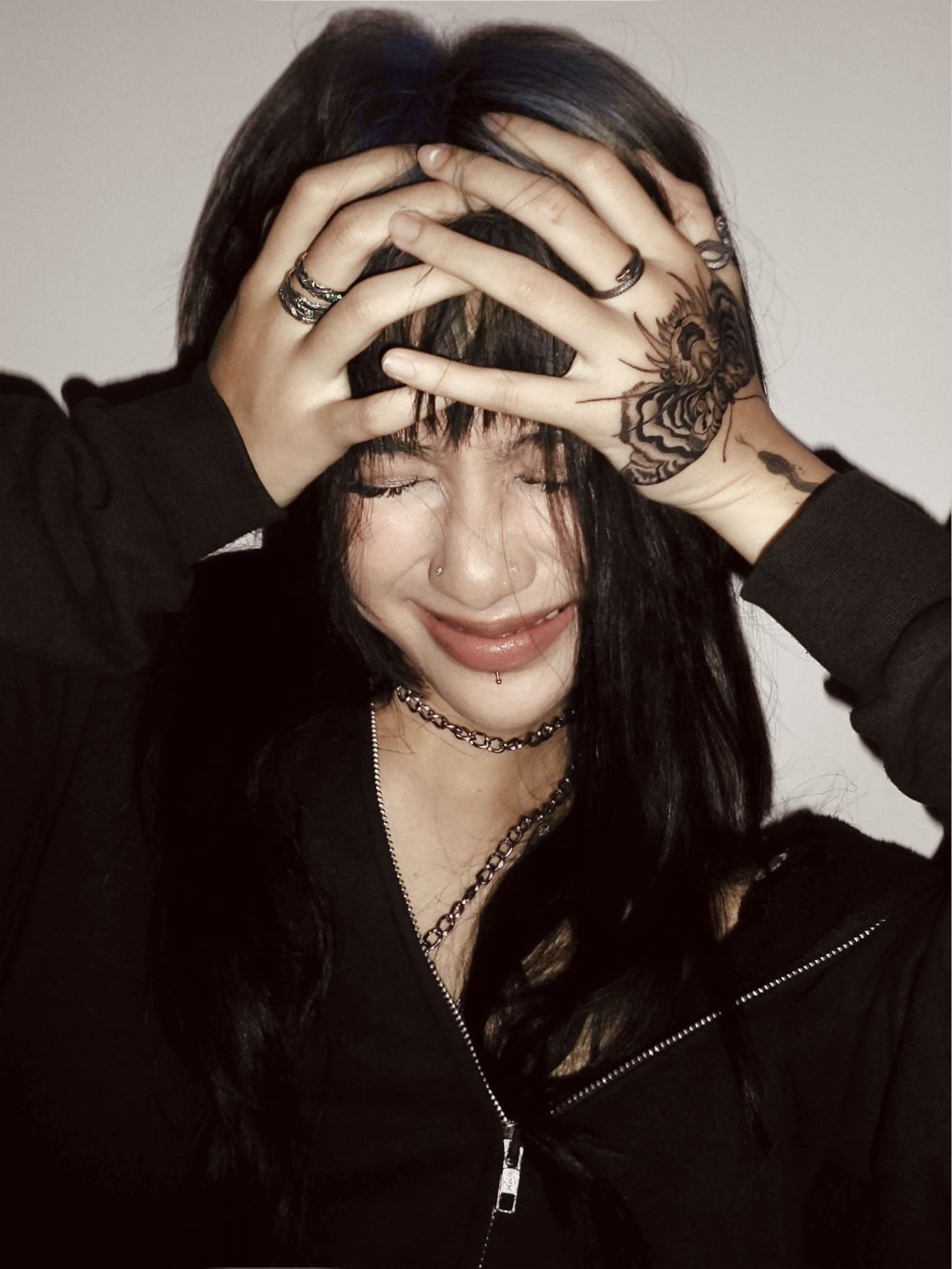
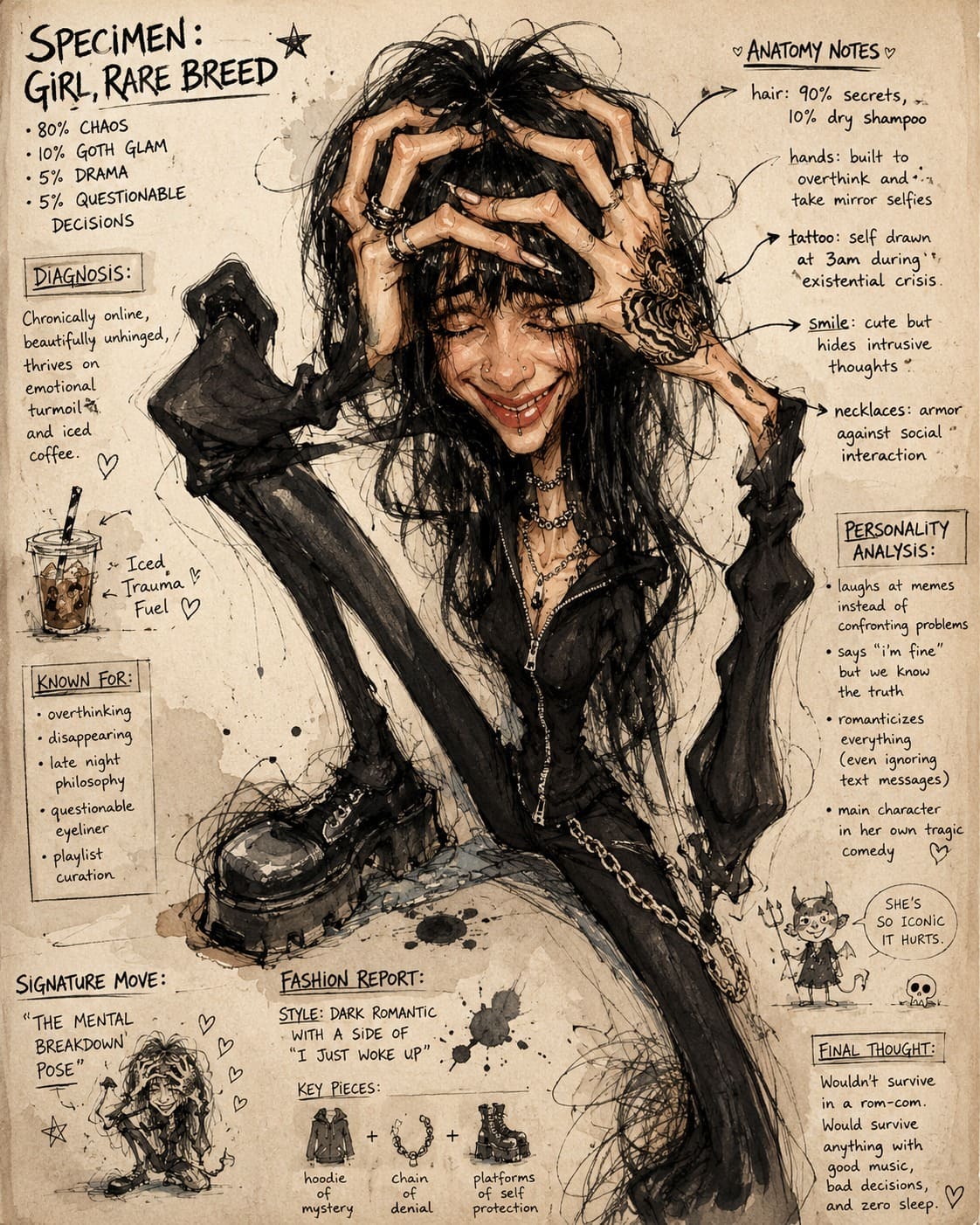
Results will vary every time the AI generates - that’s part of the charm of this style. Regenerate a few times and pick the one you like most.
Prompt - copy now
Copy the entire block below and paste it into ChatGPT or Midjourney:
Positive Prompt
MASTERPIECE, expressive gothic sketch illustration of the person from the reference photo, preserve exact facial identity, emotional smile, messy black hair, chaotic ink and watercolor drawing on vintage paper, rough hand-drawn pencil strokes, scribbled anatomy notes and handwritten annotations surrounding the character, dark whimsical sketchbook aesthetic, emotionally unstable internet girl vibe, alternative emo fashion, oversized black hoodie, layered silver chains, platform combat boots, exaggerated artistic proportions with elongated fingers and limbs, imperfect anatomy intentionally, coffee stains, ink splashes, dirty watercolor texture, sepia toned aged notebook paper, indie underground art zine style, raw emotional energy, anti-clean rendering, sketchbook page composition, asymmetrical messy lineart, gothic romantic mood, subtle creepy-cute atmosphere, highly detailed expressive face, traditional ink wash feeling, nervous linework, Tim Burton x Egon Schiele x underground tumblr art aesthetic, character sheet layout, ironic personality profile notes, chaotic doodles, hand-written typography, emotionally exhausted aesthetic, late-night overthinking vibe, artistic distortion but preserve likeness from original photoNegative Prompt (only needed for Stable Diffusion - skip if using ChatGPT)
photorealistic, hyper realistic skin, smooth face, beauty filter, glamour shot, cinematic lighting, disney, pixar, polished digital art, perfect anatomy, fashion photography, 3d render, clean lines, vibrant colors, sharp vector art, generic anime, kawaii, glossy texture, AI beauty face, symmetrical proportions, realistic background, professional studio photoStep-by-step guide by platform
ChatGPT - easiest for beginners
You’ll need: A ChatGPT Plus account (~$20/month)
- Open ChatGPT → click the 📎 (attach file) icon → upload your portrait photo
- Type this line before pasting the prompt:
“Using the uploaded photo as the face reference, generate this image:”
- Paste the full Positive Prompt right after and send
- If ChatGPT flags “emotionally unstable” → replace it with “emotionally expressive” and resend
Tip: Use a front-facing photo with even lighting and no obstructions - AI holds onto your likeness much better this way.
Midjourney - higher quality output
You’ll need: A Midjourney Basic plan (~$10/month) + a Discord account
-
Upload your photo to Discord → click on the image → copy the image link
-
Type the command in this format:
/imagine [paste your image link here] [paste Positive Prompt] --style raw --ar 3:4 --iw 1.5 -
Append this at the end to exclude unwanted results:
--no photorealistic, smooth face, clean lines, 3d render, perfect anatomy
Parameter breakdown (no need to memorize - just use them as-is):
--style raw→ reduces the overly polished look, gives rawer and more artistic output--iw 1.5→ increases how strongly AI sticks to your face--ar 3:4→ portrait aspect ratio, best fit for this style--chaos 30→ add this if you want more random, unexpected results
Stable Diffusion - free, for experienced users
This section is for those already familiar with Stable Diffusion. If you’re new to it, start with ChatGPT - it’s faster and simpler.
-
Pick model DreamShaper or Deliberate (download from Civitai)
-
Paste the Positive Prompt and Negative Prompt into their respective fields
-
Add your photo to ControlNet using IP-Adapter FaceID so the AI can anchor to your face
-
Recommended settings:
Parameter Value CFG Scale 7–9 Sampling Steps 30–40 Sampler DPM++ 2M Karras Resolution 768×1024 ControlNet weight 0.7–0.85
Tips to preserve your face
This is the most overlooked part - and it’s exactly why so many outputs end up looking like a completely different person.
- Start with a good source photo: Front-facing, natural even lighting, nothing covering your face, no heavy angles
- ChatGPT: Always keep “preserve exact facial identity” in the prompt - it’s already included in the sample above
- Midjourney: Put the image link before the prompt text, and bump
--iwto 1.5–2 if your face keeps changing - Stable Diffusion: Use IP-Adapter FaceID in ControlNet, weight 0.7–0.85
- Still not looking like you? Add specific facial feature descriptions to the prompt, e.g. “single eyelid, sharp jawline, short eyebrows”
Other aesthetic variants
Keep the entire base prompt intact - just swap the style and outfit description with one of the blocks below:
Dark Academia
dark academia aesthetic, vintage library atmosphere, candlelight ink drawing,
classical portrait sketch, Oxford notebook style, sepia tone, fountain pen strokes,
tweed blazer, turtleneck, round glasses
Cyberpunk Sketch
cyberpunk neon ink sketch, circuit board annotations, glitch watercolor effect,
neon-dark contrast, underground hacker zine aesthetic, binary code doodles,
tech hoodie, cybernetic accessories, neon wristbands
Witchcore Illustration
witchcore aesthetic, botanical ink illustration, moon phase annotations,
herb and potion doodles, old grimoire page texture, forest witch vibes,
dark flowy robe, crystal pendants, dried flower crown
Lo-fi Anime Sketch
lo-fi anime sketch style, hand-drawn manga aesthetic, coffee shop notebook art,
chill melancholic vibe, soft pencil texture, midnight studying atmosphere,
oversized hoodie, headphones, warm lamplight
How the prompt works - for those who want to go deeper
This section is for anyone who wants to customize the prompt rather than use it as-is. The gothic sketch prompt is built in 7 layers, each controlling a distinct aspect of the output:
Layer 1 - Overall quality: MASTERPIECE, expressive gothic sketch illustration
Declares up front that this is a high-quality illustration. The AI will render more carefully than if you just typed “gothic sketch” on its own.
Layer 2 - Face anchoring: preserve exact facial identity, preserve likeness from original photo
These two phrases keep the AI continuously referencing your source photo. Remove them and the face will drift immediately.
Layer 3 - Materials and texture: Ink, watercolor, vintage paper, coffee stains, ink splashes This layer creates the physical feel - making the artwork look hand-drawn rather than computer-rendered.
Layer 4 - Vibe and emotion: Gothic romantic, creepy-cute, raw emotional energy, anti-clean rendering Defines the emotional tone. Want something softer? Swap “emotionally unstable” for “melancholic” or “dreamy”.
Layer 5 - Character fashion: Oversized black hoodie, layered silver chains, platform combat boots Want a different style? This is the layer to edit. The variant blocks above are pre-written replacements.
Layer 6 - Page layout: Character sheet layout, handwritten annotations, chaotic doodles Creates the sketchbook-with-annotations layout instead of a plain portrait. Remove this layer for a simpler, cleaner composition.
Layer 7 - Artist style references: Tim Burton x Egon Schiele x underground tumblr art
Helps the AI lock in the exact aesthetic target:
- Tim Burton → gothic whimsical, quirky and charming darkness
- Egon Schiele → distorted body proportions, tense and nervous linework
- Underground tumblr art → independent internet aesthetic, non-mainstream
Want to change the style entirely? Swap the artist references in Layer 7. For example: “Studio Ghibli x vintage watercolor illustration” will produce something completely different.
FAQ
Will the AI actually preserve my face?
Depends on the platform. Stable Diffusion with IP-Adapter FaceID gives the best results (~80–90% likeness). ChatGPT and Midjourney tend to drift more - check the tips to preserve your face section above to improve accuracy.
Do I need to pay?
ChatGPT requires Plus ($20/month). Midjourney requires the Basic plan ($10/month). Stable Diffusion is completely free if you self-host or use Google Colab - but you’ll need a capable machine or know how to set up Colab.
How many times should I regenerate?
Usually 3–5 times is enough. If you’re still not satisfied after 5 attempts, try: trimming a few keywords (overly long prompts can confuse the AI), adding specific facial feature descriptions, or switching to a more front-facing source photo.
Can this prompt work with a group photo?
Yes, but results are noticeably worse since the AI has to handle multiple faces at once. Generating each person separately and compositing them together will give much better results.
Does referencing artist styles violate copyright?
Referencing “Tim Burton x Egon Schiele” describes a creative style, not a specific artwork. Generating images in a similar aesthetic is considered valid under current conventions. If you’re using outputs commercially, review each platform’s terms of service.
Can I sell or use the generated images commercially?
It depends on the platform: Midjourney requires a Pro plan ($60/month) for commercial rights. ChatGPT Plus allows commercial use under OpenAI’s Terms of Service. With self-hosted Stable Diffusion, you own the output entirely.
Conclusion
What makes the gothic sketch aesthetic so distinct is that it intentionally rejects perfection - shaky lines, off-kilter proportions, ink that bleeds - and that very “imperfection” is the soul of the style. This isn’t a selfie. It isn’t a retouched avatar. It’s your character sheet.
Try it with your own portrait, don’t hesitate to regenerate a few times, and fine-tune the prompt to match your specific features.
What does your result look like? Drop your gothic sketch in the comments - I’m genuinely curious to see your face through a Tim Burton lens. 👇